Dragos OT CTF 2025 — Write-up
Undercover Ops
Reviewing the PCAP will show that multiple files were transferred across the network. What was the first filename transferred onto Sophia’s host?
I simply applied this filter to Wireshark: http or ftp or smb2 or smtp or imf or pop or tftp
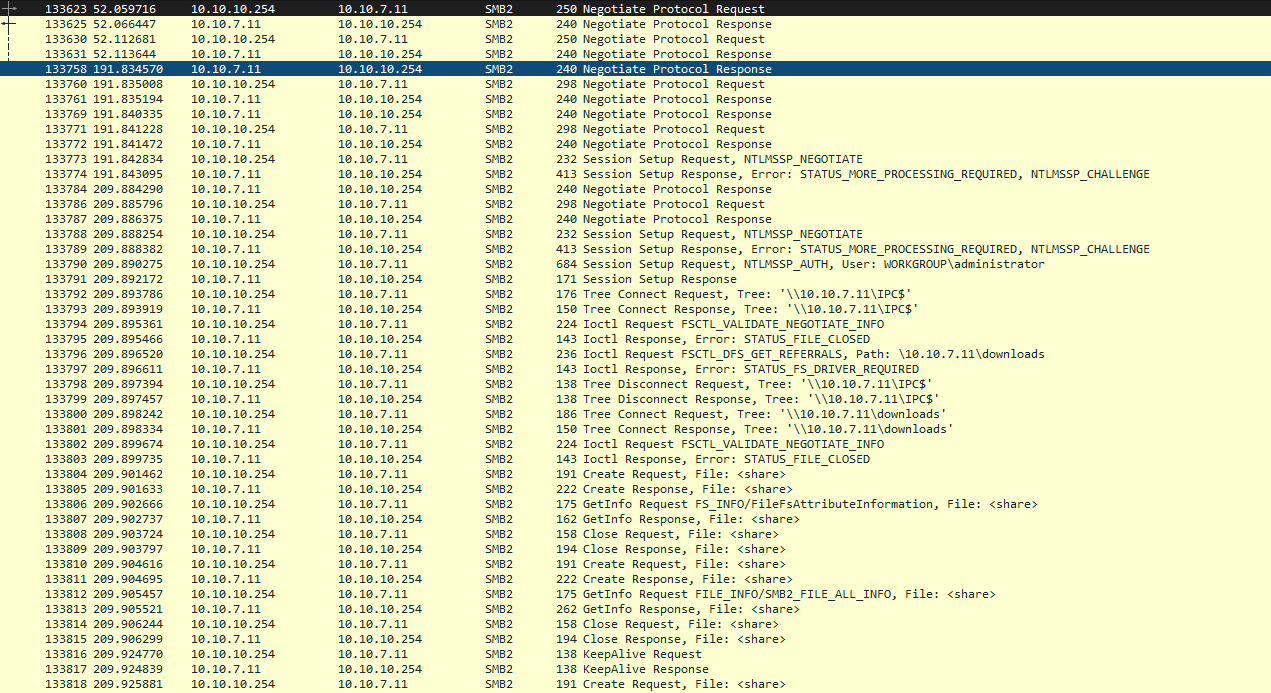
We can clearly see that the traffic between: 10.10.7.11 ⇄ 10.10.10.254 is SMB2, i.e. Windows sharing
And also `Tree Connect Request, Tree: ‘\\10.10.7.11\IPC$’ Tree Connect Request, Tree: ‘\\10.10.7.11\downloads’`
So Sophia's computer (probably 10.10.10.254) accesses the shared folder `\\10.10.7.11\downloads`
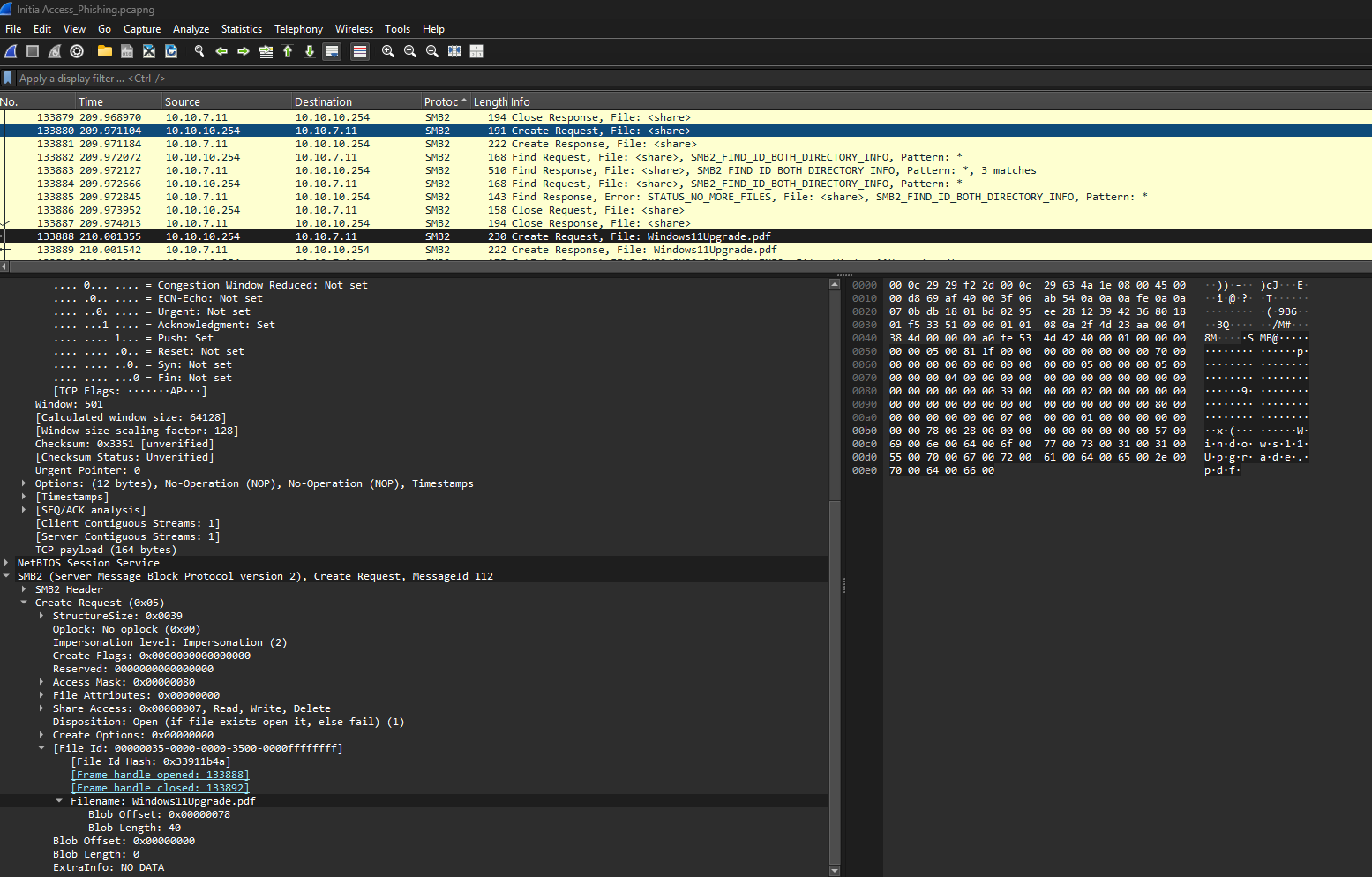
How we can see the first filename transferred onto Sophia’s host is Windows11Upgrade.pdf
Where are you going?
During the investigation, the ACME IR team identified that two files were shared with Sophia: the original PDF and an EXE. The EXE was never meant to upgrade the operating system to Windows 11, but rather it hosted a malicious, reverse-shell payload. What IP Address and Port did this payload call back to?
So I go to Statistics -> Endpoint and look for the largest file transfer with a suspicious IP address.
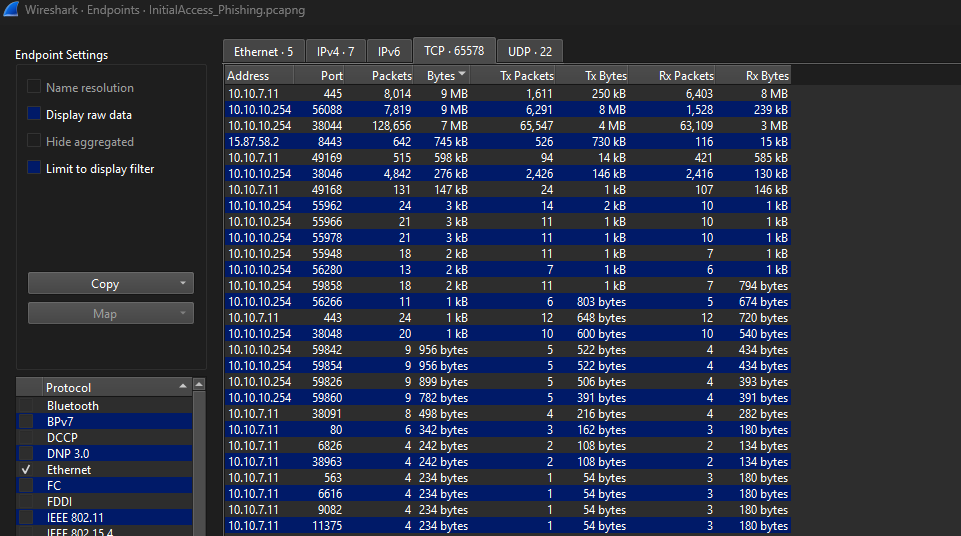
Finally, I apply a filter on Wireshark to see the communications with this IP address: ip.addr==15.87.58.2
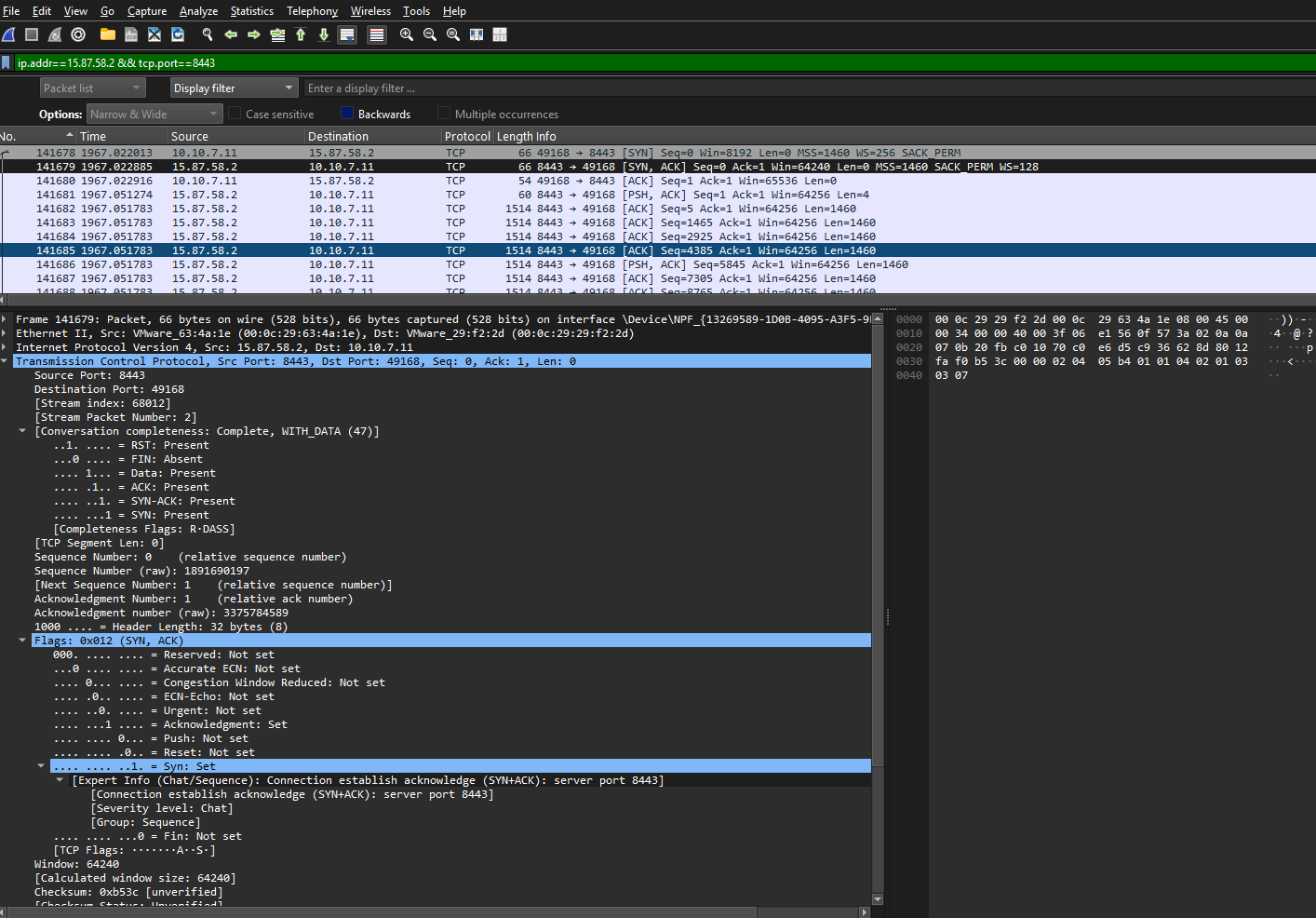
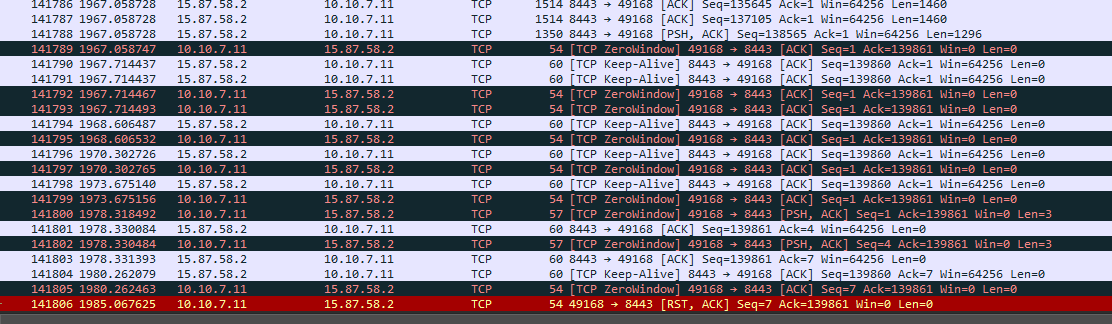
The flag is 15.87.58.2:8443
δραπετεύω
Contexte. We found our HMI for the heating system with an open browser Window, making a lot of noise. Someone or something has opened this.
[http://nyan.cat](http://nyan.cat/)does not seem to be malicious itself, our research at [http://nyan.cat](http://nyan.cat/) also shows nothing weird.
We successfully captured a triage collection from the system.
Can you investigate what might be off with this browser? Can we identify if someone left a “calling card”?
zoom on the url and i see

Now i gonna try to find it on the unzip file
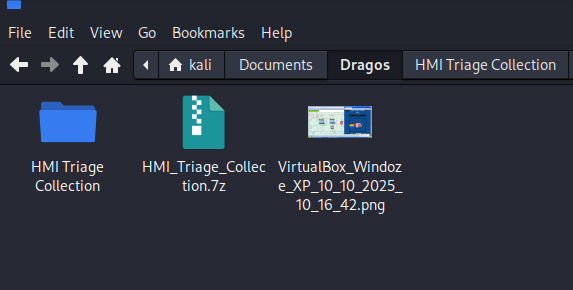
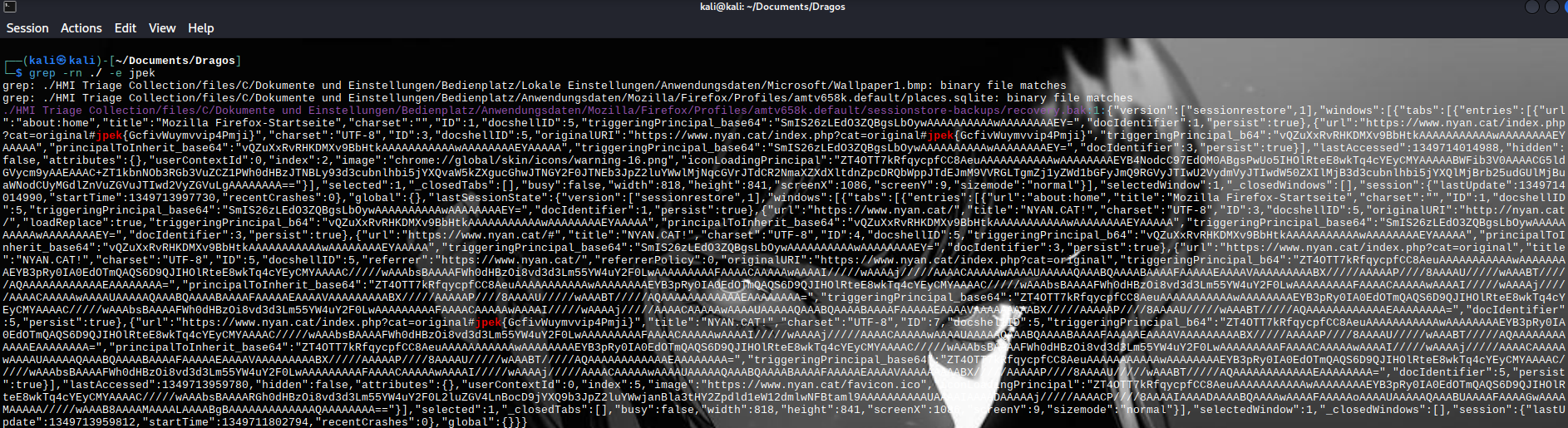
I found jpek{GcfivWuymvvip4Pmji}and now i go to cyberchef and try to do rot13
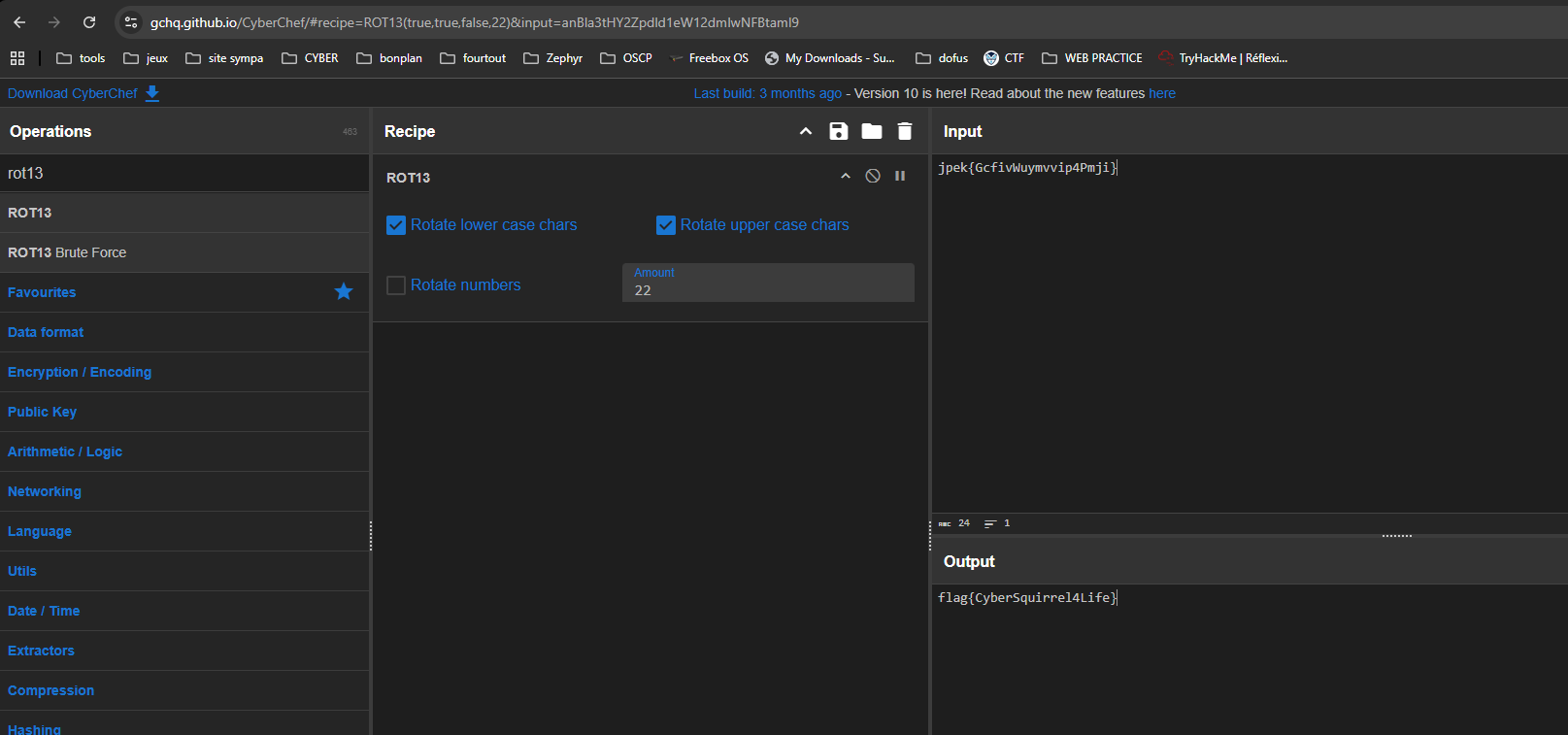
ROT22 → flag{CyberSquirrel4Life}
Home Improvement
A victim organization provided two Windows Event log files that they believe contain crucial logs containing information that shows how the adversaries brought offensive tools into the environment. They have provided you with these files for analysis. What living-off-the-land tool did the adversary use to help bring a tool into the environment?
I opened PowerShell as an administrator and checked for the presence of the `PowerShellLogs.evtx` file. I exported the readable content via `Get-WinEvent -Path .\PowerShellLogs.evtx | Select-Object ... | Out-File evtx_all_txt.txt` so that I could perform text searches. I then listed the EventIDs present (verification) and filtered the events containing names of potentially misused tools `Get-WinEvent -Path .\PowerShellLogs.evtx | Select-Object ... | Out-File evtx_all_txt.txt` with `Get-WinEvent ... | Where-Object { $_.Message -match ... }`.
Finally, I decoded the Base64/`-EncodedCommand` blobs detected via a PowerShell script to reveal the PowerShell code executed.
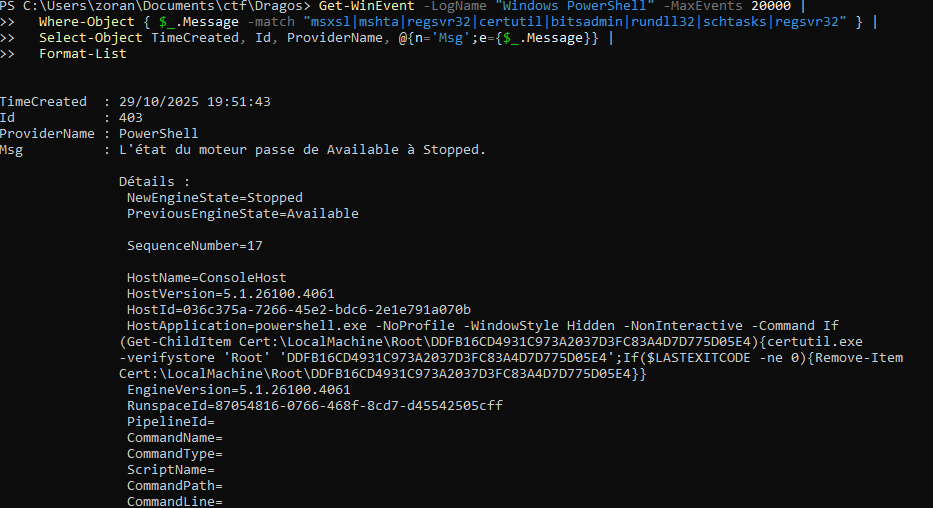
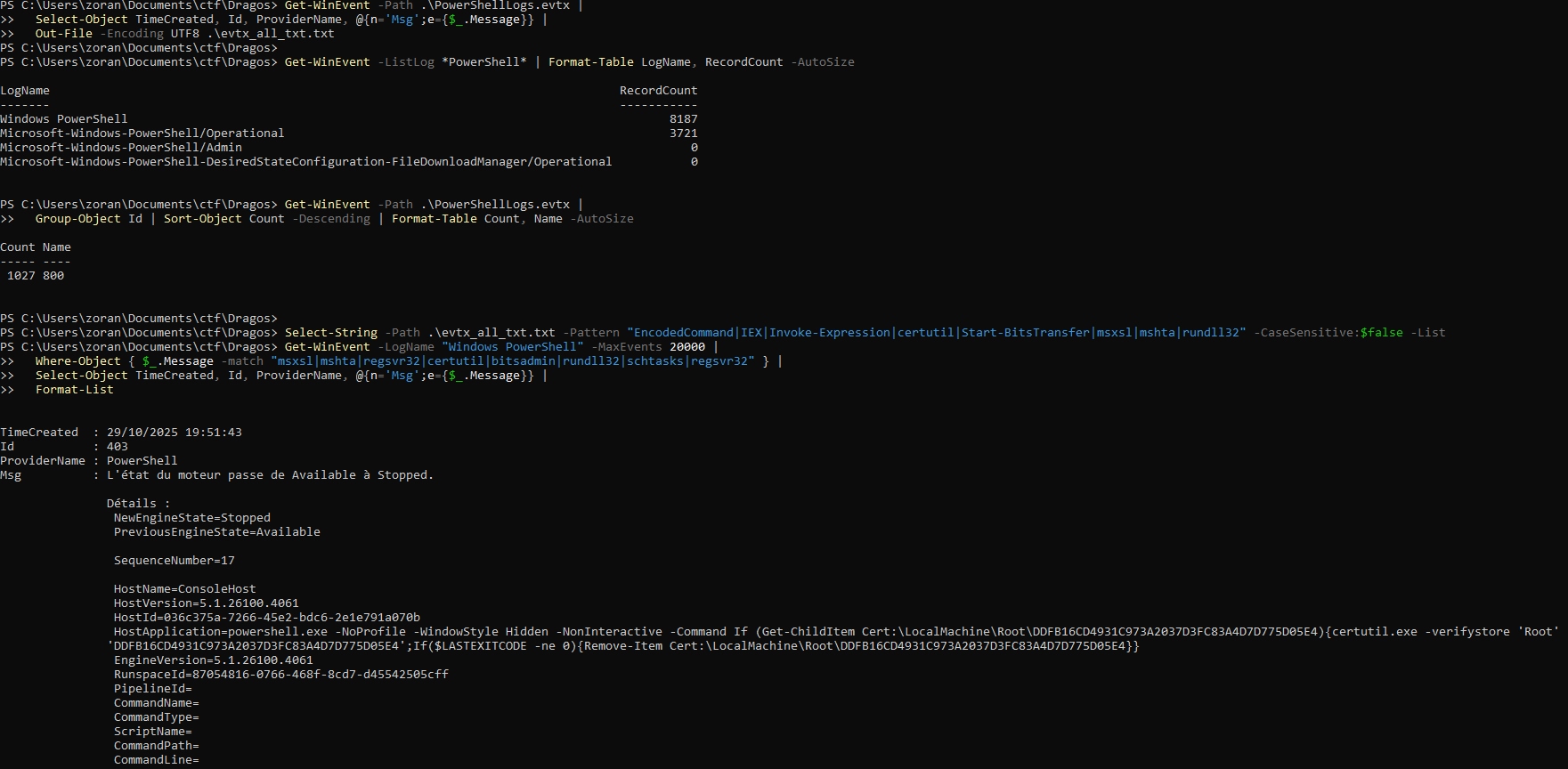
Flag → certutil.exe
Network Capture INT
Would you kindly identify the full Operating System name, version, and build number of the client machine that this PCAPNG was captured on?
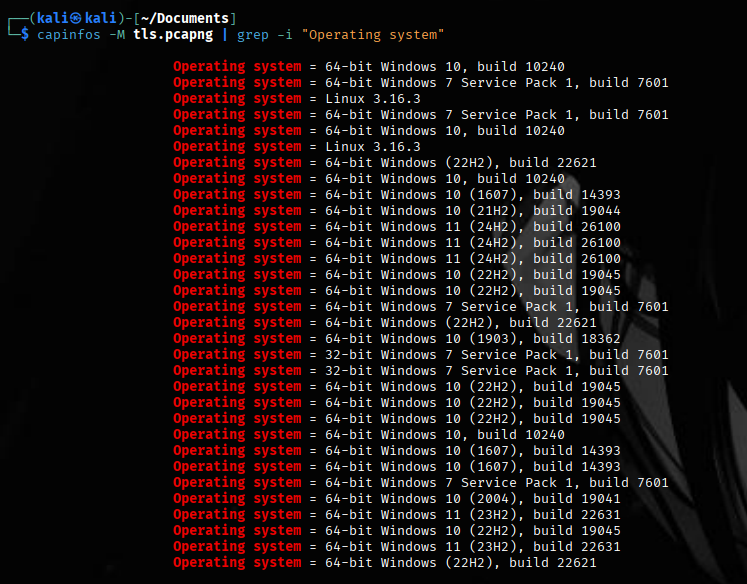
I first listed the operating systems present in tls.pcapng with capinfos -M | grep “Operating system”, which shows several different hosts/OSs in the capture.

I then determined which interface contained the most packets: tshark -r tls.pcapng -T fields -e frame.interface_id | sort | uniq -c | sort -nr | head → result 34 26 meaning 34 packets for interface #26.
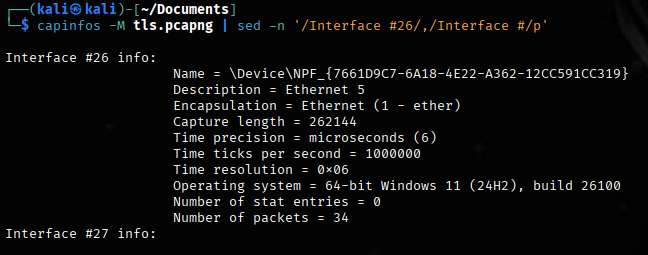
Finally, I extracted the metadata for interface #26 with capinfos -M | sed -n '/Interface #26/,/ Interface #/p', which shows that interface #26 corresponds to \Device\NPF_{...} (Ethernet 5), OS = Windows 11 (24H2, build 26100) and Number of packets = 34
First of Many
The Ember Jackals have corrupted a .txt file that was retrieved over the network by one of our admins. We need to identify the .txt file and extract out any hidden messages the Ember Jackals have graffitied inside.
First, I tried to export the FTP DATA to Wireshark
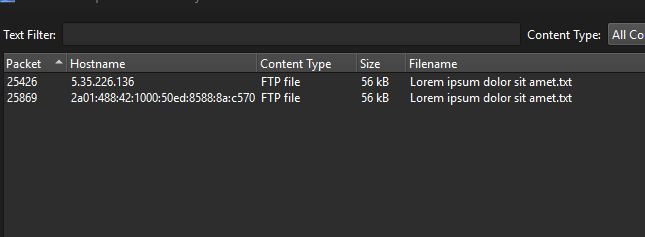
I searched through all the files and found some interesting ASCII characters
So I went directly to the packets in question
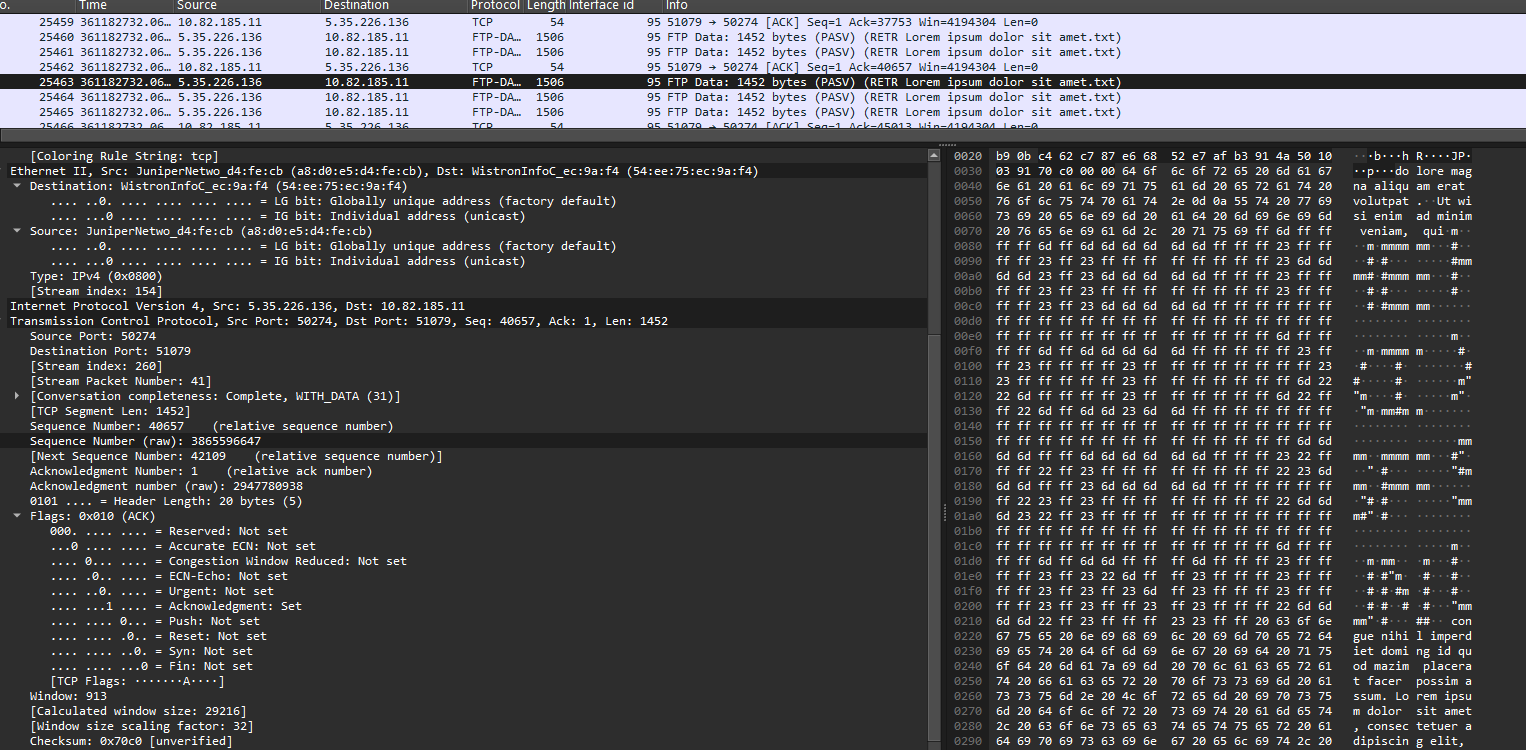
We can deduce the phrase “HEX IS FUN3” in ASCII graffitied on packet 25463
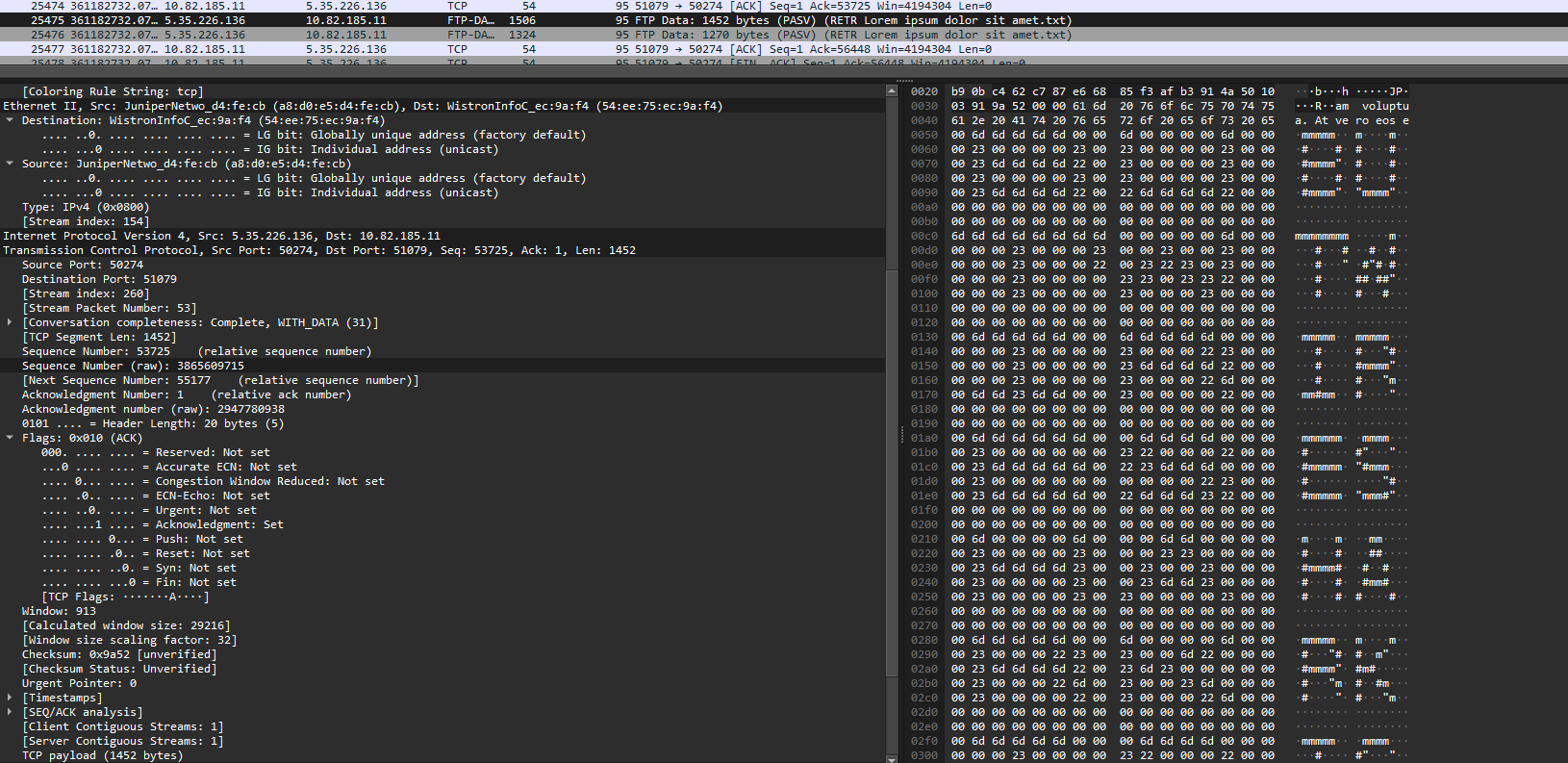
And here we can clearly read “BUT WIRESHARK IS BETTER” on packet 25475.
So then I just had to concatenate the two packets.
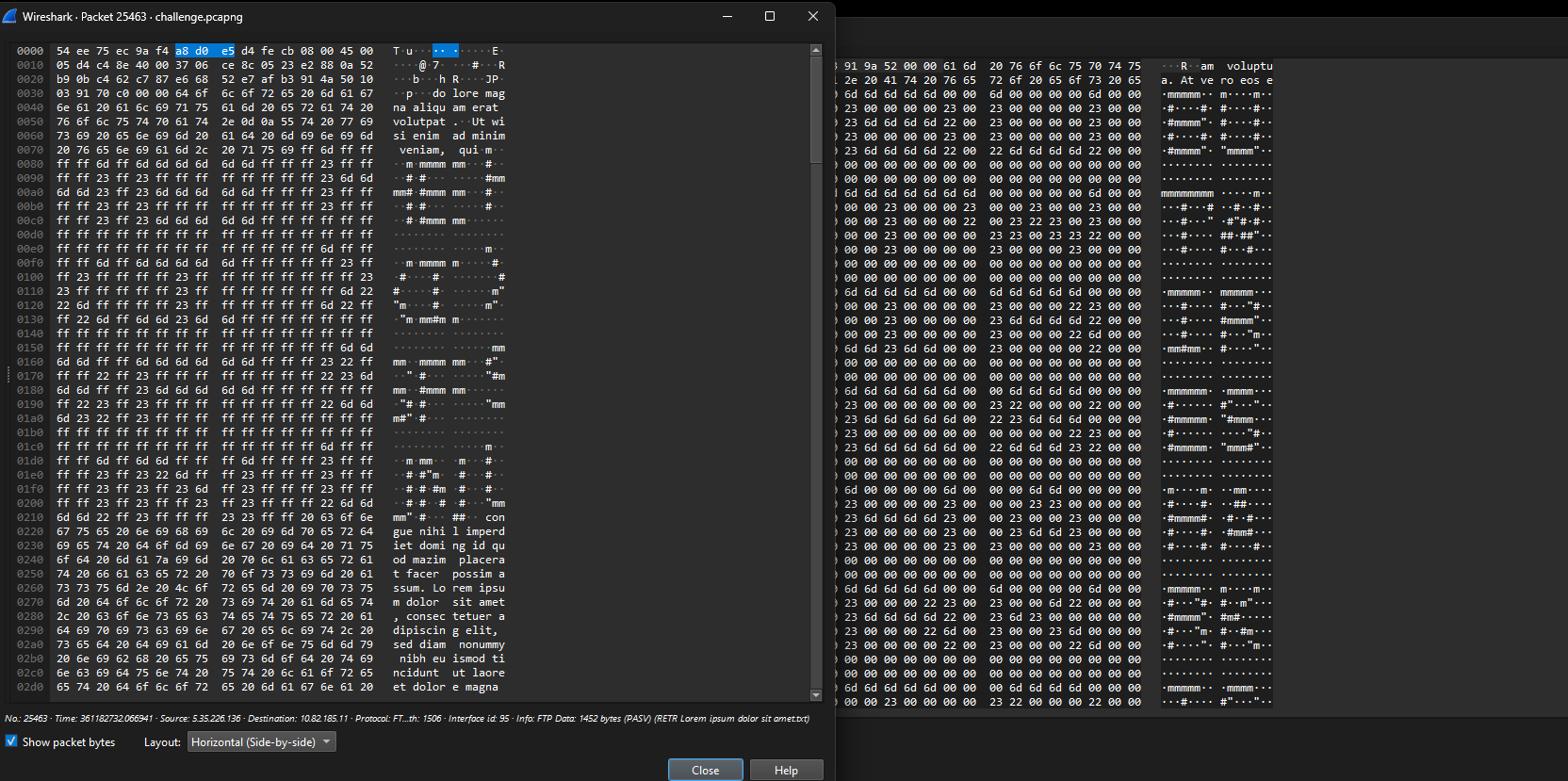
The flag was therefore HEXISFUNBUTWIRESHARKISBETTER.
Corrupted Network Capture
Question. *What is the timestamp of the response packet?* (protocole TIME, port 37)
Step-by-Step Solution
Verify the File
file time.pcapng
The command confirms the file is a pcapng but corrupted — Wireshark can’t open it.
Inspect the Header
xxd -l 64 time.pcapng
You won’t find the signature 0A 0D 0D 0A of a valid Section Header Block.
Create a Valid PCAPNG Header
echo -ne '\x0A\x0D\x0D\x0A\x1C\x00\x00\x00\x01\x00\x00\x00\x4D\x3C\x2B\x1A\
  x01\x00\x00\x00\x00\x00\xFF\xFF\x00\x00\x00\x00\x1C\x00\x00\x00' > header.bin
cat header.bin time.pcapng > fixed.pcapng
The file fixed.pcapng is now readable by Wireshark or tshark.
Filter TIME Protocol Packets
tshark -r fixed.pcapng -Y "udp.port == 37 or tcp.port == 37"You should see TIME protocol packets with 4-byte payloads — the server’s time response.
Extract the TIME Response Data
tshark -r fixed.pcapng -Y "udp.port == 37 and udp.len==12" -T fields -e dataExample output:
E76AA3ACConvert the Hex Value to Seconds
echo $((0xE76AA3AC))Output:
3877761868Adjust for Epoch Difference (1900 → 1970)
The TIME protocol starts counting from 1900. Subtract 70 years (2208988800 seconds) to convert to Unix time:
expr 3877761868 - 2208988800Result:
1668773068Convert to a Human-Readable Timestamp
date -d @1668773068 -uOutput:
Fri Nov 18 12:04:28 UTC 2022Mortimer’s Admin Utility 1
In a strange turn of events, the Ember Jackals hired a young Mortimer Smith as an intern and ACME found a utility he left behind on one of the systems. First, we need to do some static analysis to make sure there’s no flag-nanigans going on here...
String extraction & flag discovery
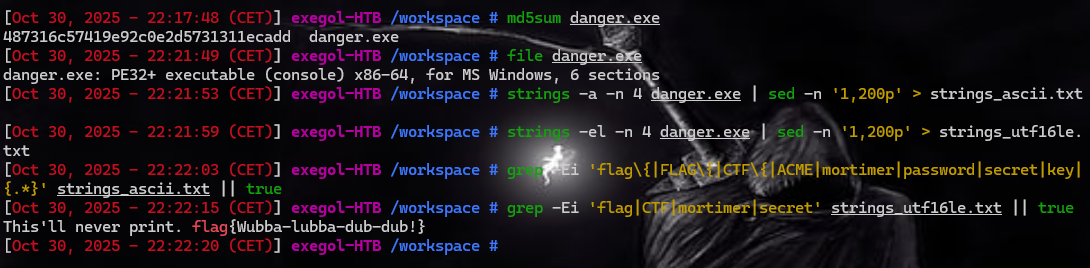
I started by checking the binary (md5sum danger.exe, file danger.exe) to identify it (PE32+ x86-64) and keep an MD5 fingerprint. I extracted the ASCII strings (strings -a -n 4 danger.exe > strings_ascii.txt) and then separately the UTF-16LE wide strings (strings -el -n 4 danger.exe > strings_utf16le.txt) as Windows applications often use 16-bit strings. Next, I searched for typical flag/secret patterns (grep -Ei ‘flag|CTF|password|secret|mortimer’ ...). The ASCII search yielded nothing, but the wide string analysis returned:
This'll never print. flag{wubba-lubba-dub-dub?} so the flag was encoded in UTF-16LE in the binary.
Mortimer’s Admin Utility 2
In a strange turn of events, the Ember Jackals hired a young Mortimer Smith as an intern and ACME found a utility he left behind on one of the systems.
Yeah it’s definitely shady, and you should definitely not run it on your work computer… but you need the flag so… YOLO!
Note: A successful run of the tool will create a new local user (if run in Admin prompt). Creation of a new user, nor Admin privileges are required to solve the flag.
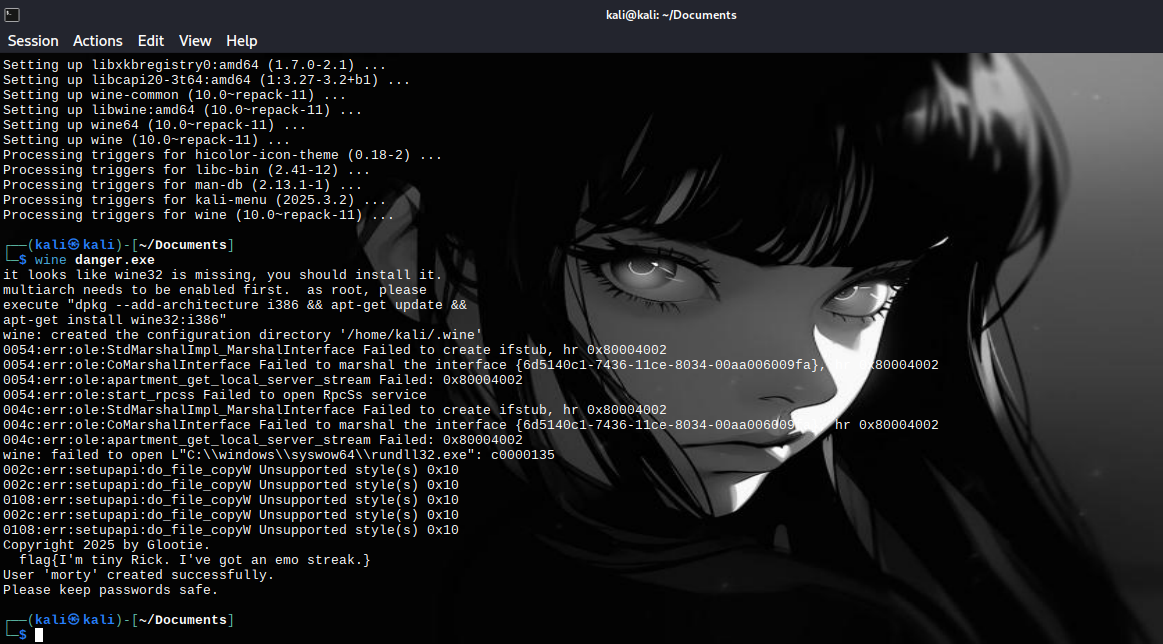
We begin by analyzing the binary file danger.exe to find out how user addition works and the associated risks.
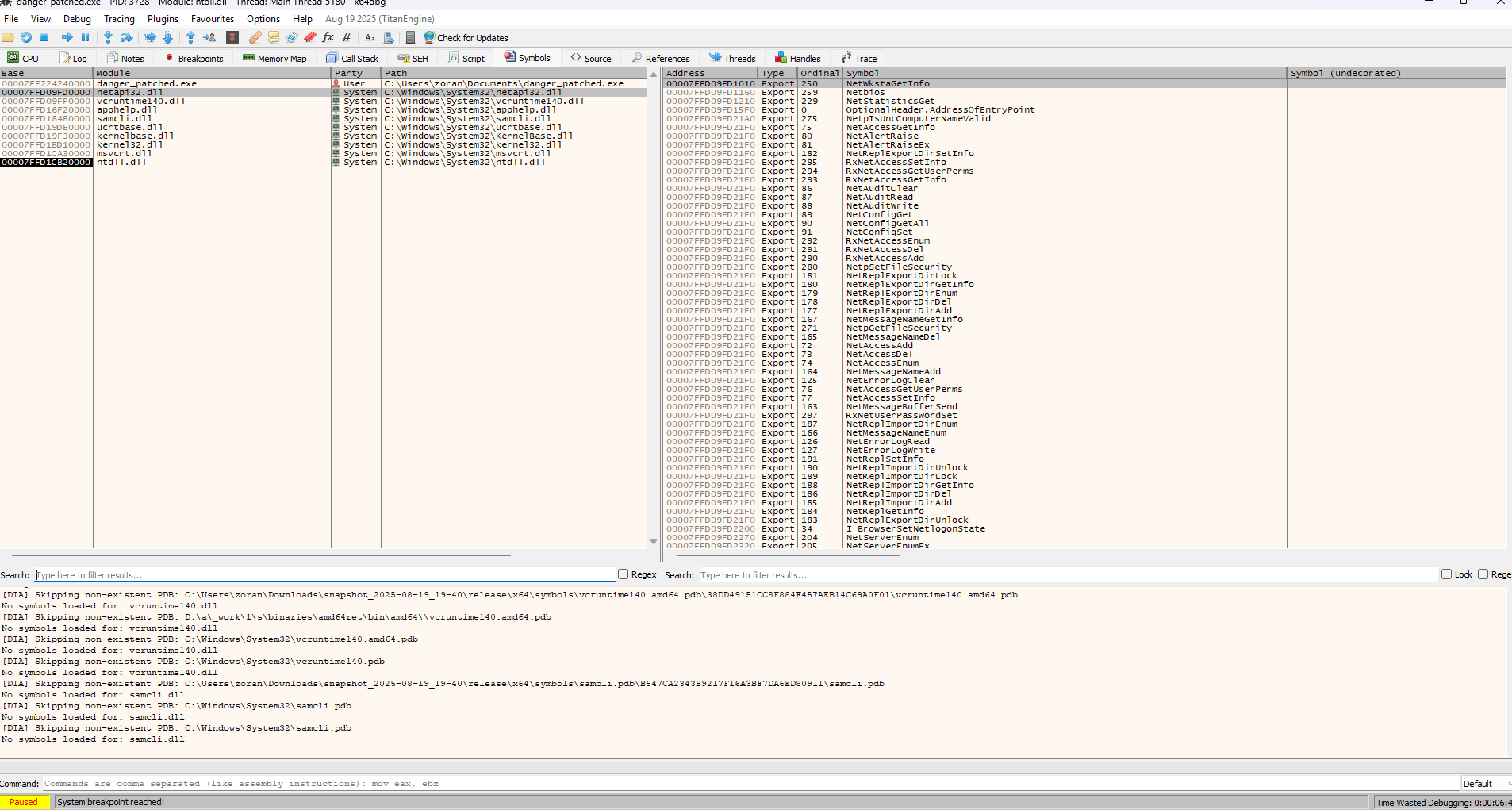
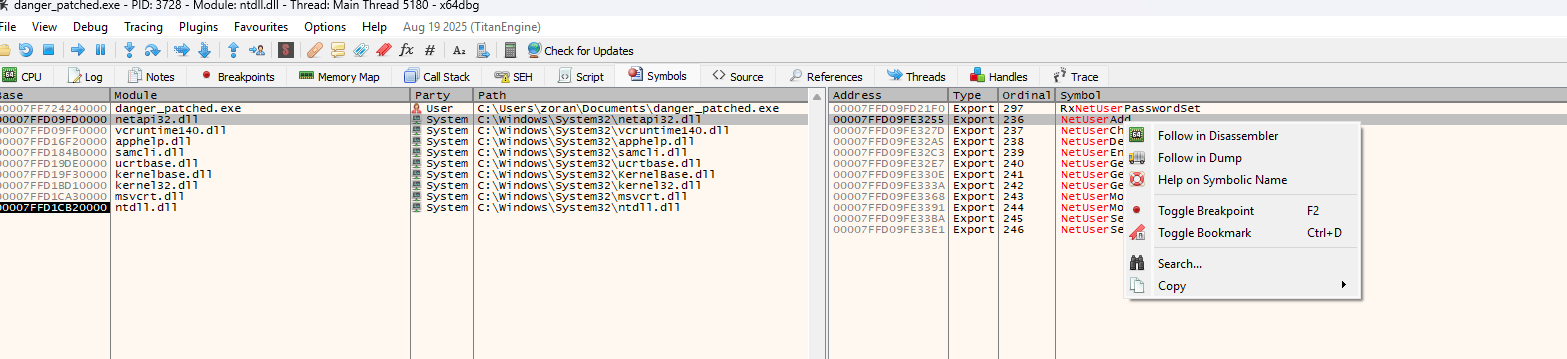
Note that the binary uses the NetUserAdd function to add a local user.
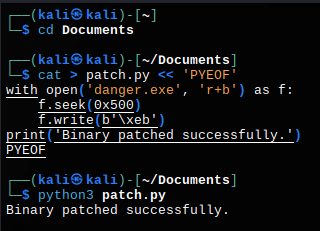
The script opens the binary file named danger.exe, moves to a specific location (offset), and then modifies a byte in the file.
The patch.py script modifies the danger.exe binary directly.
It positions itself at offset 0x500 (1280 bytes) and replaces the original byte with 0xEB (JMP short instruction in x86 assembly language).
This changes the behavior of the program, potentially forcing a jump in the code and bypassing a check.
Now all we have to do is run it.